
Get Farcaster Frames Right
Farcaster Frames are no longer simple Open Graph meta tags; they are full-stack Mini Apps that run inside clients like Warpcast. This shift means your development workflow changes from static HTML to a dynamic server-side application.
Prerequisites and Environment
You cannot build a Frame without a public HTTPS endpoint. Frames must be served over a secure connection, and the server needs to handle POST requests for button interactions. If you are using a local development server, you will need a tunneling service (like ngrok) to expose your localhost to the Farcaster network for testing.
The Technical Foundation
Your project requires a backend framework. Next.js is the most common choice because it handles both the server-side rendering of the Frame HTML and the API routes for interactions. You must also install the official Farcaster Frames SDK, which simplifies the validation of user signatures and the generation of valid Frame metadata.
Client-Specific Rules
Each Farcaster client has its own implementation of the Frame specification. Warpcast, for example, may render buttons or layouts differently than other clients. Always test your Frame in the target client before launching. Relying solely on the specification is not enough; you must verify the visual output and interaction flow in the actual app environment.
Build and deploy your first Farcaster Frame
Farcaster Frames are now classified as Mini Apps, which means they function as self-contained web applications embedded directly within the Warpcast feed. To get one running, you need to host a Next.js application that serves specific Open Graph meta tags. These tags tell the Farcaster client how to render the frame, handle user interactions, and update the interface without leaving the app.
Start by scaffolding a new Next.js project using the official Farcaster Frame template. This template provides the necessary boilerplate for handling frame metadata and API routes. Deploy the project to a service like Vercel to ensure you have HTTPS enabled, as Farcaster requires secure endpoints to communicate with your frame.
In your Next.js page component, add the getFrameMetadata function. This function returns an object containing the image, button text, and post URL. These tags are critical; without them, the frame will not render in the Warpcast client. Ensure the image URL is absolute and points to a valid asset hosted on your server.
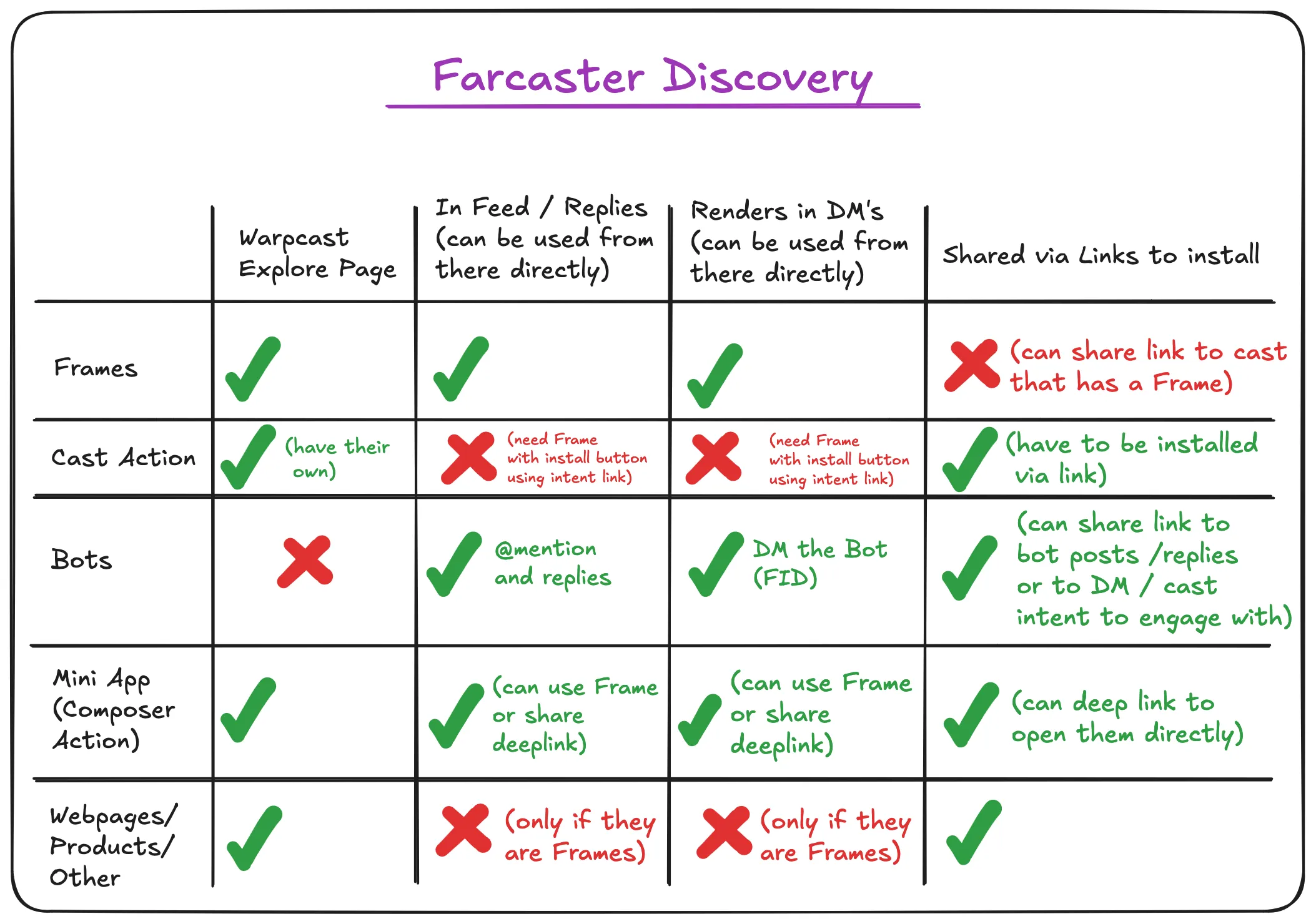
Create a POST route at /api/frame to handle button clicks. When a user interacts with your frame, Farcaster sends a signed request containing the user’s fid and the input data. Your server must verify this signature using the Farcaster API to prevent spoofing. Once verified, process the action and return the updated frame state.

Use the Warpcast developer portal to preview your frame before public deployment. You can input your local tunnel URL (using tools like ngrok) to test interactions in real-time. This step allows you to debug signature verification and state updates without posting to the mainnet.
Once tested, deploy your frame to your production host. Share the frame URL in a Warpcast post. The client will automatically detect the frame metadata and render the interactive element. Monitor the frame analytics in the Warpcast developer dashboard to track user engagement and interactions.
| Feature | Legacy Frames | Mini Apps |
|---|---|---|
| State Management | Limited input fields | Full React state |
| Interactivity | Static button clicks | Dynamic UI updates |
| Complexity | Simple metadata tags | Full web app logic |
Common Farcaster Frames Mistakes to Avoid
Building Farcaster Frames is straightforward in theory, but the friction points are specific. Developers often conflate the old static Frame v1 with the new dynamic Frames v2, leading to broken integrations or rejected submissions. Understanding where the implementation fails is more important than knowing the syntax.
Ignoring the Metadata-to-Action Gap
The most frequent error is treating the fc:frame meta tags as the entire app. The metadata only defines the initial view. If you do not properly handle the post_url or button interactions, the frame becomes a dead end. Users tap a button expecting a transaction or state change, but the server returns a 404 or an invalid response. This breaks the "Mini App" promise of Frames v2. Always test the full click-through flow, not just the initial render.
Skipping Local Validation
Warpcast and other clients are strict about schema compliance. Many developers skip local validation, assuming the client will catch errors. It won’t. It will simply reject the frame or show a blank screen. Use tools like the official Farcaster Frame Validator or the frames.js library to check your schema before deployment. This step catches missing required fields, such as the image aspect ratio or invalid button labels, saving hours of debugging.
Overlooking Performance and Caching
Frames are fetched on every interaction. If your server takes three seconds to respond, the user experience is ruined. More critically, if you don’t set proper cache headers, clients may cache stale state, showing old balances or images. Set short max-age values for dynamic content and ensure your server can handle rapid, concurrent requests. A slow frame is a useless frame.
Farcaster Frames: What to Check Next
Frames have evolved into "Mini Apps," moving beyond simple static cards to full interactive experiences within Warpcast. This shift has changed how developers build and how users engage with social commerce.
Are frames free to build and publish?
Building a frame is free, but it requires technical resources. You need a web server to host the HTML/JSON metadata and a wallet to pay for on-chain transactions. The hosting cost is minimal, often covered by free tiers on platforms like Vercel or Cloudflare Workers. However, every user interaction that triggers a blockchain transaction (like minting a token or buying a product) costs gas fees on the Base network.
Do frames work on all Farcaster clients?
No. Frames are currently supported primarily on Warpcast, the most popular Farcaster client. While the Farcaster protocol is open, client support varies. Other clients may display frames as static images or ignore them entirely until they implement the Frames v2 specification. Always test your frame on Warpcast first.
Can frames handle real-time transactions?
Yes. Frames can initiate on-chain actions directly from the social feed. Users can sign transactions, swap tokens, or mint NFTs without leaving the app. This is handled via the Farcaster SDK, which securely connects the user's wallet to the frame's backend. The transaction is signed locally and broadcast to the blockchain, ensuring a seamless experience.
Are frames secure for handling money?
Frames are as secure as the underlying wallet and smart contracts they interact with. Users must explicitly approve any transaction. Never trust a frame that asks for private keys or seed phrases. Always verify the smart contract address and read the transaction details before signing. The Farcaster protocol does not hold user funds, so security depends on the developer's code and the user's caution.
No comments yet. Be the first to share your thoughts!