
What Farcaster AI Clients Do
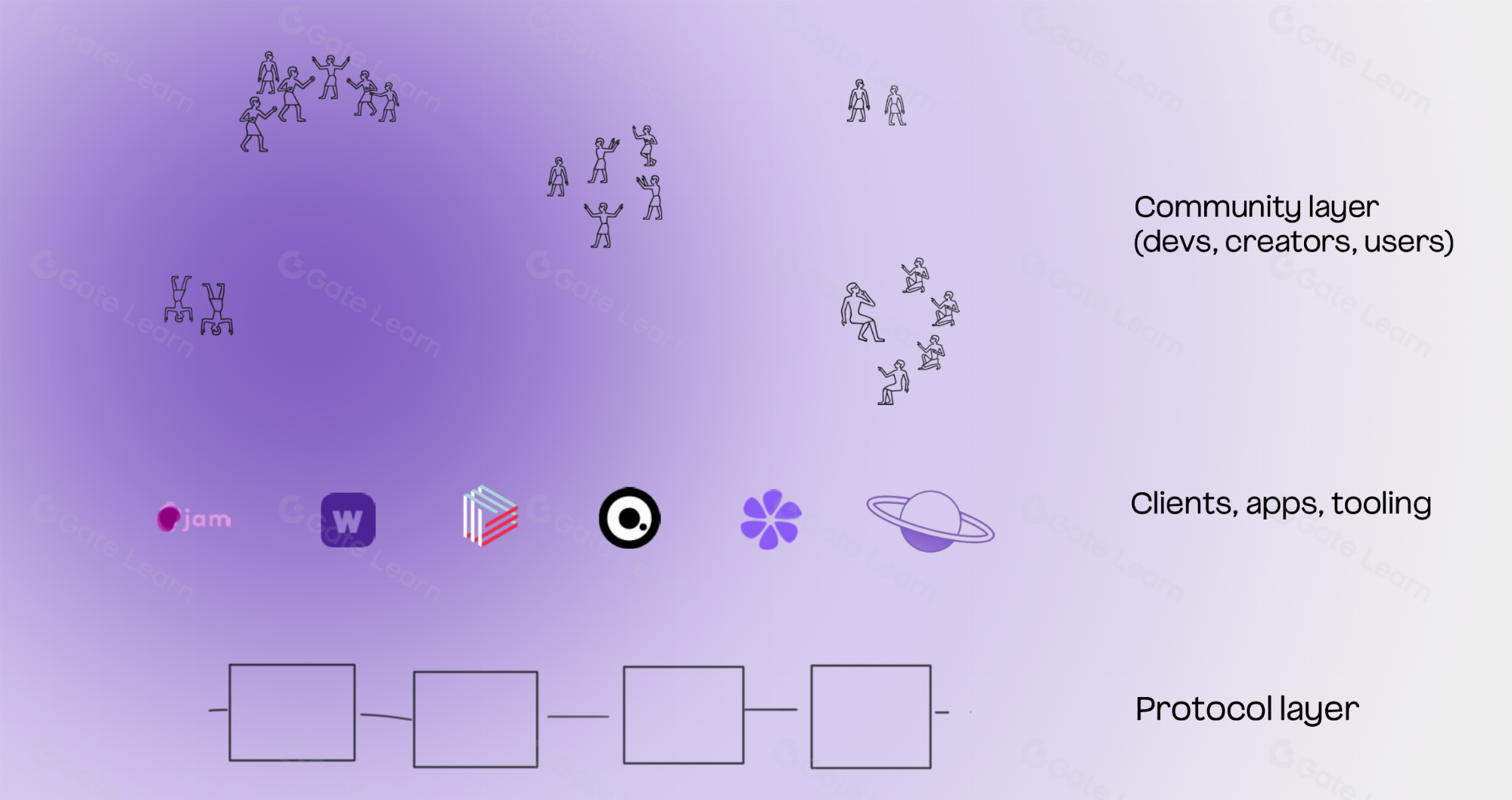
Farcaster AI clients are third-party applications that interact with the Farcaster protocol via API to automate or enhance social tasks. They are distinct from the core protocol itself. The protocol is the decentralized network handling identity and storage; AI clients are the software built on top to extend its utility.
These clients act as intelligent interfaces. They connect to the Farcaster API to read your social graph, analyze content, and execute actions on your behalf. This separation of concerns allows the protocol to remain lightweight and secure while enabling complex, automated behaviors at the application layer. You retain control of your keys and data, while the AI client serves as a powerful tool to manage your social presence efficiently.
Compare top Farcaster AI clients
Choosing the right AI client depends on whether you need social discovery, trading execution, or custom agent building. Each tool serves a distinct function within the Farcaster ecosystem, from indexing content to managing on-chain assets.
The table below compares three leading options: @indexer for search, @degenbot for trading, and Neynar Studio for developers.
| Client | Primary Function | Cost | Accessibility |
|---|---|---|---|
| @indexer | Social search engine | Free | Direct Farcaster handle |
| @degenbot | DEGEN swap tracker | Free (gas fees apply) | Direct Farcaster handle |
| Neynar Studio | Agent builder | API credits | Web dashboard |
@indexer acts -powered social search engine. It leverages algorithmic and social curation to help you find relevant casts and users quickly. It is accessible directly through the Farcaster interface by mentioning the handle.
@degenbot focuses on on-chain activity, specifically tracking DEGEN swaps. It provides real-time updates on token movements within the social feed, making it useful for traders monitoring market sentiment.
Neynar Studio offers a different approach by providing the tools to build your own AI agents. Instead of using a pre-built bot, you can create custom agents that earn income from tips or trading fees, as outlined in their building guide Neynar Blog.
For most users, @indexer and @degenbot provide immediate utility without setup. Developers or those wanting unique automation should look at Neynar Studio.
Set up an AI agent for curation
Configuring an AI agent to curate your Farcaster feed requires connecting the agent to your account and defining its behavior. The goal is to create a filter that surfaces relevant content while suppressing noise, effectively acting as a personalized news filter for your social graph.
Connect the agent to your Farcaster account
Most AI clients operate through the Model Context Protocol (MCP) or similar frameworks that require authentication. You will need to generate a session key from your Farcaster account settings and input it into the agent’s configuration file. This step grants the agent read-only access to your feed and profile data, ensuring it can analyze content without posting on your behalf unless explicitly configured to do so.
Define your curation filters
Once connected, specify the topics, keywords, and creators the agent should prioritize. You can set negative filters to mute specific hashtags or accounts that don’t align with your interests. For example, if you are interested in decentralized social infrastructure, you might prioritize posts containing terms like "MCP" or "Warpcast" while muting generic crypto shilling. This step transforms the agent from a passive reader into an active curator.
Test and refine the output
Run the agent in a dry-run mode or on a small subset of your feed to observe its selections. Review the curated list for accuracy and adjust the weight of your filters. Over time, you can tweak the sensitivity of the agent to balance between novelty and relevance. This iterative process ensures the agent remains useful without overwhelming you with irrelevant content.
Log into your Farcaster account and navigate to the security settings. Generate a new session key with read-only permissions. Copy this key securely; it will be used to authenticate your AI agent.
Open your AI client’s configuration file. Paste the session key into the authentication field. Ensure the client is set to use the MCP standard for seamless integration with other AI tools.

Define your positive and negative filters. Add keywords, hashtags, or specific user IDs to prioritize or exclude. Save the configuration and restart the agent to apply changes.
Review the agent’s curated output over the next 24 hours. Note any irrelevant posts or missed content. Adjust your filter weights accordingly to improve accuracy.
Build a custom Farcaster agent
Building a custom agent gives you full control over how your AI interacts with the Farcaster network. Instead of relying on pre-packaged clients, you can define specific behaviors, tone, and integration points that match your unique use case.
The most flexible approach today is using Model Context Protocol (MCP) servers. MCP standardizes how AI models connect to external data and tools. By building an MCP server for Farcaster, your agent can read casts, post replies, and manage interactions without hardcoding API calls into your main application logic.
This architecture future-proofs your integration. As more AI clients adopt the MCP standard, your Farcaster connection works automatically with new frameworks. You can also layer in custom logic, such as earning tips from noice or managing content coins, by extending the server’s available tools.
Start with the core read/write capabilities, then add specialized actions as needed. This modular approach keeps your code clean and your agent adaptable to changing network features.
Check your agent before going live
Before connecting your AI client to the mainnet, treat it like a test pilot rather than a full launch. A misconfigured agent can spam feeds or reply incorrectly, damaging your reputation instantly. Use a private testnet or a closed group to validate behavior under real-world load.
Run through this pre-launch checklist to ensure safety and stability:
- Rate limit verification: Ensure the agent respects Farcaster’s API limits to avoid being banned. Set conservative caps on casts per hour.
- Prompt injection testing: Try to trick the agent with hostile or confusing inputs. Verify it refuses to engage or responds neutrally.
- Identity consistency: Confirm the agent’s display name and profile link are accurate. Avoid misleading titles that imply human authorship.
- Fallback mechanism: Define what happens when the LLM fails. The agent should not post blank casts or error messages.
This process is your safety net. A few hours of testing now prevents weeks of damage control later.
Common questions about Farcaster AI
Choosing the right agent requires understanding how these tools fit into the broader Farcaster ecosystem. Unlike traditional social media, Farcaster prioritizes decentralization and programmability, allowing agents to interact with the protocol in unique ways.
How much do Farcaster AI clients cost?
Most AI clients on Farcaster operate on a freemium model. Basic interaction features are often free, while advanced capabilities like autonomous posting or complex data analysis require a subscription. Always check the pricing page of the specific client before committing.
Are AI agents safe to use on Farcaster?
Safety depends on the permissions you grant. Because Farcaster is decentralized, agents do not control your private keys directly but act on your behalf via signed actions. Review the scope of permissions carefully. AI agents on Farcaster are designed to enhance human connection rather than replace it, helping you find real conversations.
How do I integrate an AI agent with my account?
Integration typically involves connecting your Farcaster account to the agent’s platform. This usually requires authorizing the agent to post on your behalf. Start with a test post to ensure the agent behaves as expected before enabling full automation.
No comments yet. Be the first to share your thoughts!