
Why use a Farcaster client
Farcaster is a decentralized protocol, not a single app. Think of it like email: the protocol handles the underlying infrastructure and identity, while third-party clients provide the interface you actually use. This separation means your social graph and data belong to you, regardless of which app you choose to log in with.
This architecture gives you freedom. If you don't like the features or design of one client, you can switch to another without losing your followers or your posts. You are not locked into a single company's ecosystem. Apps like Warpcast, Supercast, and Yup let you interact with the same network using different tools tailored to your preferences.
By using a client, you gain access to a vibrant, open-source community. You can explore different ways to post, reply, and connect. The best client for you depends on whether you prioritize speed, design, or specific features like client-side encryption. Choosing the right app ensures you get the most out of this decentralized social network.
Top Farcaster apps for iOS
The iOS ecosystem offers several ways to access Farcaster, ranging from the dominant native client to specialized alternatives. While the official Farcaster app remains the standard for most users, other clients provide distinct interface choices for those seeking different UX patterns or specific feature sets like frames and reactions.
Warpcast
Warpcast is the most widely used Farcaster client on iOS. It offers a polished, stable interface that prioritizes speed and simplicity. The app handles frames and reactions smoothly, making it the default choice for new users. Its design mirrors familiar social media layouts, reducing the learning curve for those transitioning from centralized platforms.
Supercast
Supercast provides an alternative interface for iOS users who prefer a more customizable experience. It supports the same core protocol features as Warpcast, including frames and reactions, but allows for different navigation patterns. Some users find its layout better suited for power users who want to curate their feed differently.
Other iOS Clients
Several other clients exist for iOS, including Airstream and Yapp. These apps often focus on specific niches, such as enhanced privacy or unique feed algorithms. While they may not have the same user base as Warpcast, they demonstrate the flexibility of the Farcaster protocol. Users can switch between clients without losing their identity or data, a key benefit of decentralization.

As an Amazon Associate, we may earn from qualifying purchases.
Top Farcaster apps for Android
Android offers a distinct advantage for Farcaster users: the ability to choose a client that aligns with your specific workflow. While the ecosystem is smaller than iOS, the available apps prioritize customization and open-source transparency. You are not locked into a single interface; you can switch clients without losing your identity, thanks to the protocol’s decentralized nature.
The leading Android clients include Warpcast, Supercast, and Dialect. Warpcast remains the dominant entry point, offering a polished, familiar social media experience. Supercast appeals to power users who want granular control over their feed and notifications. Dialect provides a lightweight, open-source alternative that respects user privacy.
These apps handle the technical complexity of Farcaster’s Frames (mini-apps) and off-chain storage, presenting them in a clean interface. Whether you prefer a dark mode that adjusts to your system settings or a feed that filters by specific clusters, Android clients let you build the social network you actually want to use.
Feature Comparison
The following table highlights key differences between the top Android clients. Focus on Frame support and offline capabilities when choosing your primary app.
| Client | Frame Support | Offline Mode | Source |
|---|---|---|---|
| Warpcast | Full | Limited | Official |
| Supercast | Full | Yes | Open Source |
| Dialect | Basic | Yes | Open Source |
How to get started on Farcaster
Farcaster operates differently from the social apps you already use. It is a decentralized protocol, which means you own your identity and your data. There is no central company that can delete your account or change the rules without your input. Getting started requires a small amount of setup, but the process is straightforward.
Your first step is to acquire a Farcaster ID (also called a fid). The easiest way is through Warpcast, the most popular client. Download the Warpcast app from the iOS App Store or Google Play Store. When you open it, you will create an account. Historically, this cost $5 per year to cover storage fees, but Farcaster recently made account registration free. You will need to set up a secure wallet, such as MetaMask or Coinbase Wallet, to sign the transaction that creates your identity.
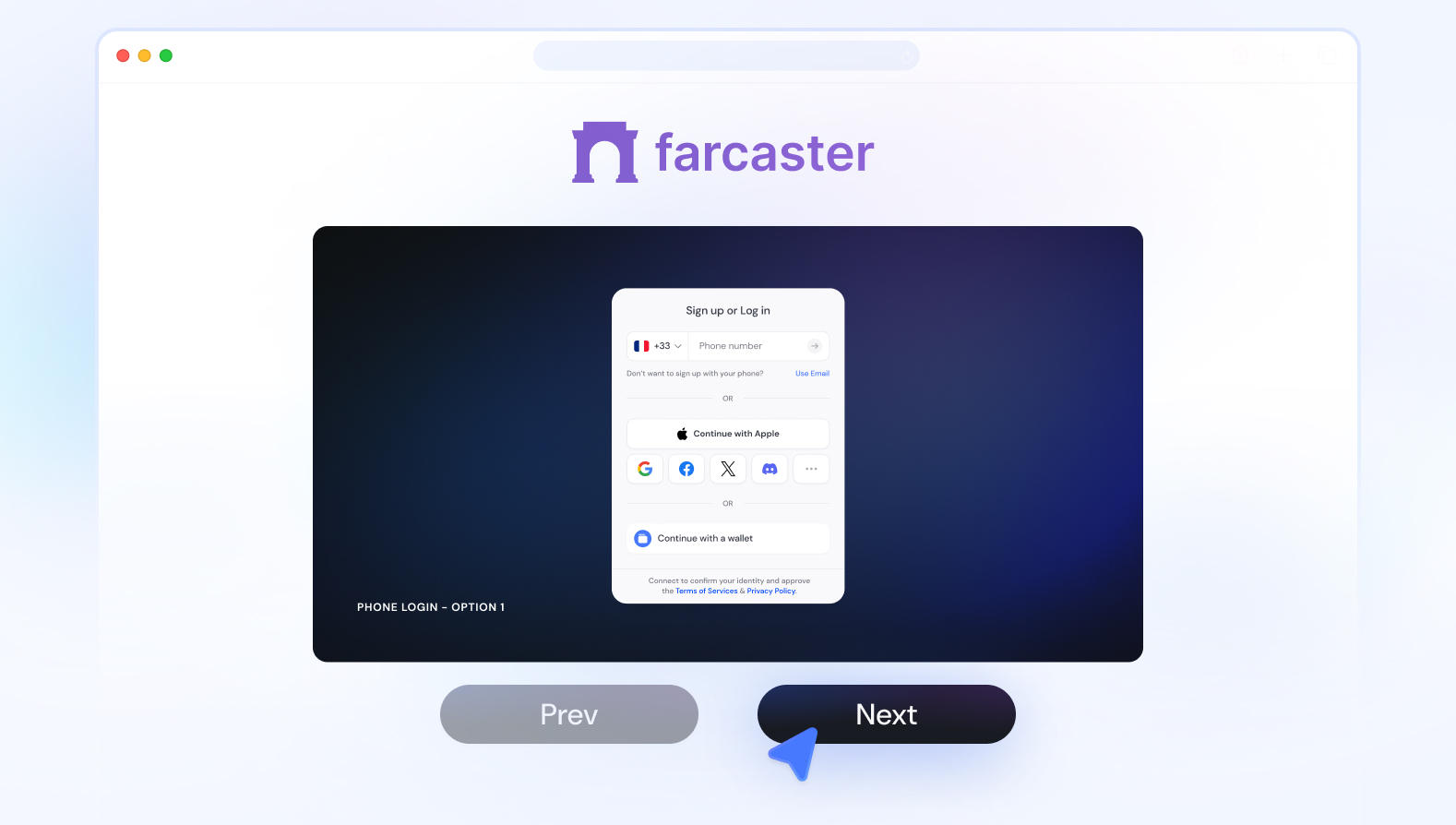
Once you have an ID, you can choose any client that supports Farcaster. Warpcast is the standard for most users, offering a clean, Twitter-like feed. If you prefer a different experience, Supercast provides a more minimalist, reading-focused interface. Other options include Yup, which is known for its speed, or Framed, which offers a more traditional blog-style layout. Your ID works across all of them; you are not locked into one app.
After downloading your chosen client, connect your wallet to verify your identity. This step confirms you own the ID you created. Once verified, you can start following people and posting. Because the network is decentralized, your posts are stored on the blockchain and can be accessed from any client. You can switch between Warpcast, Supercast, or others at any time without losing your followers or history.
The key difference here is ownership. On Farcaster, you are not renting your audience; you are bringing your identity with you wherever you go. This makes the initial setup slightly more involved than signing up with an email, but it ensures that your social graph remains yours, regardless of which app you use or if a specific client shuts down.
Common questions about Farcaster apps
Before you download Warpcast or Supercast, it helps to understand the underlying protocol. Farcaster is an open-source, decentralized social network that gives you complete control over your data, unlike centralized platforms like X or Meta. You own your identity and your content, meaning you can take your social graph with you if you ever decide to switch clients.
Does Farcaster cost money?
The protocol recently changed its model. While it previously charged a $5 annual fee for account registration, Farcaster now offers free account registration. You can create a wallet and start posting without an upfront cost.
How does Farcaster make money?
Even with free registration, the network isn't entirely free to operate. Farcaster charges users ongoing storage fees to host the data generated by daily use. This fee covers the cost of storing your posts, reactions, and follows on the blockchain. The current rate is approximately $5 per year for a standard usage limit of 5,000 posts, 2,500 reactions, and 2,500 follows.
What is Farcaster all about?
Farcaster is built for permissionless interaction. It separates the social graph from the client, allowing developers to build diverse apps like Warpcast, Supercast, or Yapp. This structure ensures that no single company controls the network, giving users a more resilient and private social experience.
No comments yet. Be the first to share your thoughts!